The Productivity & Organization Systems I Use to Run My Work (and Life)
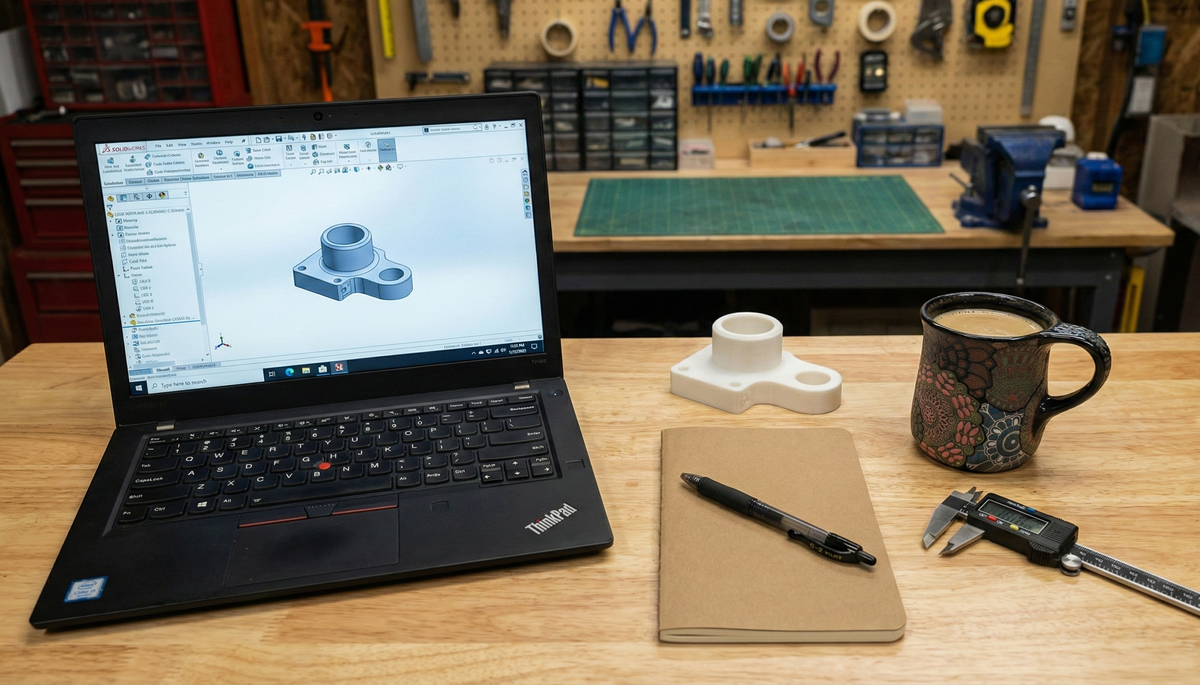
When I started my career, my “organization system” was striving to carry the load, but there were often redundancies and occasionally missing pieces where time, energy and commitments dropped.
Over the last 15 years I’ve iteratively built a system that works very well for me. It’s not perfect, but it’s reliable enough that my brain no longer feels responsible for remembering everything.
This post will be useful to you if:
- Frequent context switching and half-finished tasks drain your mental energy.
- You want a system you trust so your working memory is freed up for deep, high-value work.
- You often think: “Did I follow up on that email? Is the call today or tomorrow? What was that design idea I had last week?”
This post is a walkthrough of my system including:
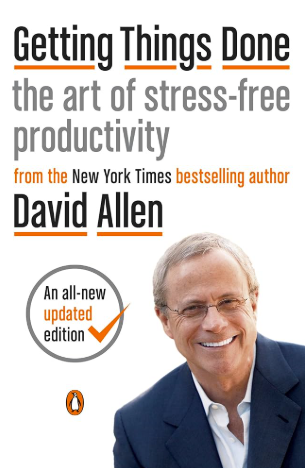
- The core principles I borrow from David Allen’s Getting Things Done.
- How integrate Google Workspace as the backbone of my Organization System.
- Professional and personal routines that keep me on track and save time.
- Why I’ve standardized my socks and systematized a growing portion of my wardrobe🧦
Getting Things Done (GTD)
Any organization system needs an underlying architecture. For me, David Allen’s Getting Things Done (GTD) methodology was a huge unlock. His core thesis:
Your mind is for having ideas, not holding them.
When your head is acting like an overloaded RAM buffer—trying to remember tasks, dates, half-finished conversations, and open loops—you burn energy just keeping track of what exists, never mind actually doing it.
GTD says: get all of that out of your head and into an external, trusted system. Once you stop using your brain as the storage device, you can use it as a high-performance processor more effectively. I recommend the book—though it’s dated and very paper-centric. Below are my adaptations using Google Workspace.
Daily Business & Task Organization
Calendar vs. Tasks vs. Email Inbox vs. Long term storage:
One of the biggest upgrades for me was drawing hard boundaries between how I use my calendar, tasks, email, and long term notes.
- Calendar = commitments.
Anything that happens at a specific time—especially meetings—goes on Google Calendar immediately. No “I’ll just remember.” Also, if there are other people involved, Calendar invites also serve as a double check when attendees are in different time zones. I used to make calendar events for solo work, or an all day event with today’s task list, but I never do this now unless the task is something I need to time block work for, and will show up just like I would if I were meeting someone else. - Email = communications.
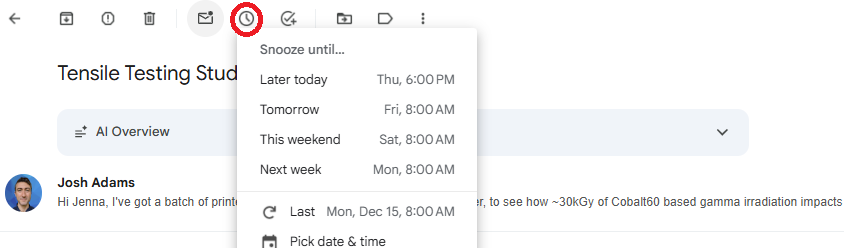
I keep my Gmail inbox very well managed through the week, often ending each day with no messages in my inboxes (this often involves snoozing emails that are not ready for response or follow up). I used to email myself ideas, notes, tasks, however, this is now a cardinal sin in my system, because it meant rereading the same information multiple times without acting on it. - Tasks = actions.
Things that must be done on a certain day (but not at a specific time) go into Google Tasks, not as all-day events and definitely not as emails to myself. I also add some tasks without dates when I want them to be checked weekly. Otherwise non-actionable notes I bump over to Google Keep, or a dedicated Document or Spreadsheet. - Keep/Docs/Sheets = Long term information
Google Keep, Google Docs and Google Sheets are repositories of longer term information that is either being stored for later, or are running tallies. These are places to keep notes, ideas, and everything else that aren't immediately actionable. I need to get these out of my head somewhere I trust I can find later, in order to free my brain from rehearsing the idea to keep it alive.
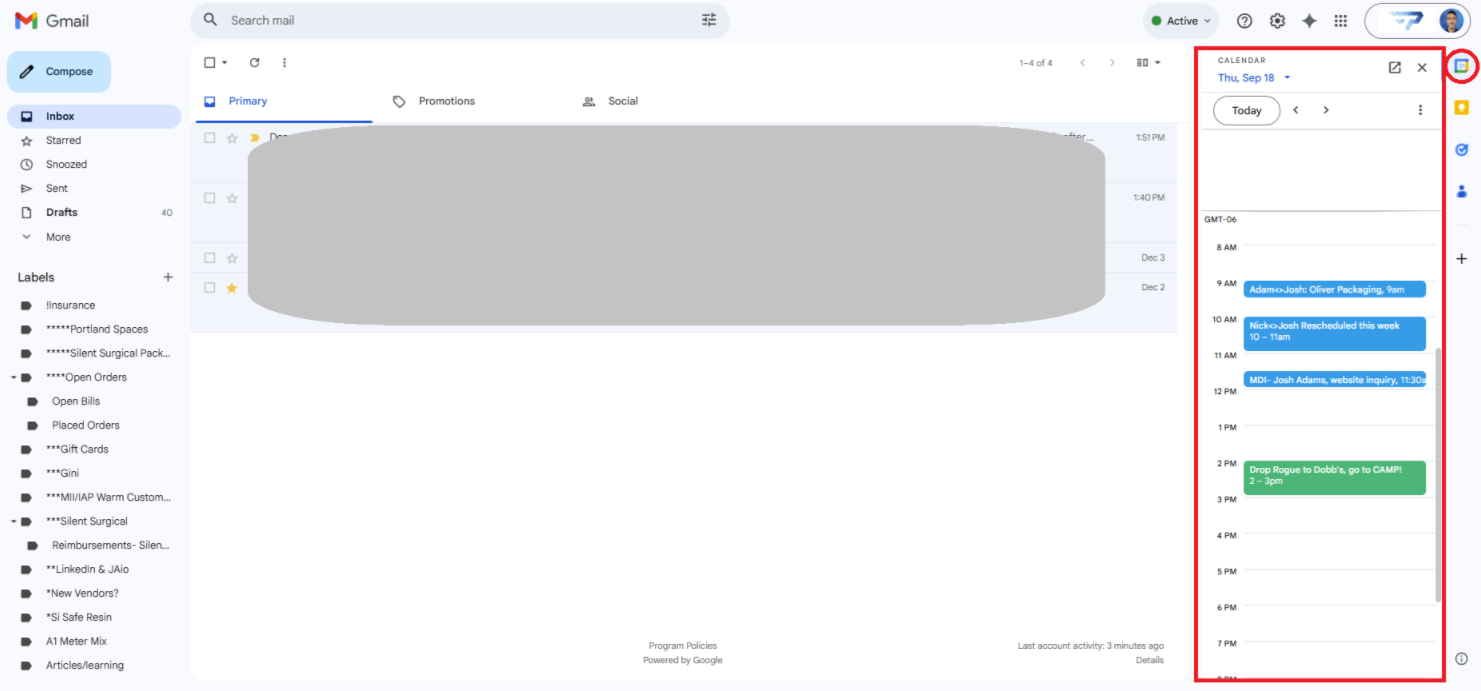
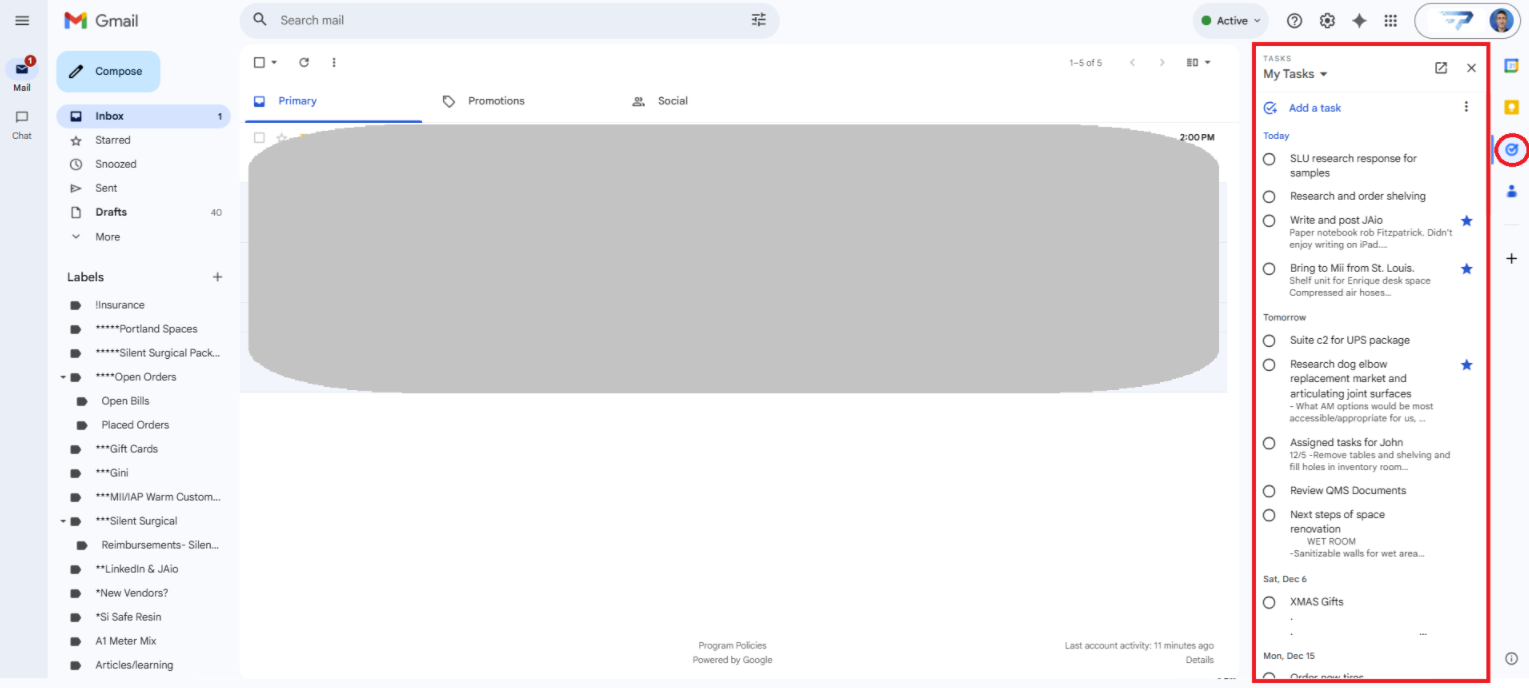
I love the ability to have Google Tasks and Calendar pop out on the right side of my inbox. I use this constantly! Inbox with calendar pop out (left) and Tasks pop out (Right)
This simple separation keeps my calendar with events I need to show up for, my inbox full (or empty) of only communications, my task list actionable and centralized, and long term notes from cluttering my mental and digital workspaces.
Gmail
Email broken into a Stream of Small Decisions
Here’s my rule (logic borrowed directly from GTD):
- An unread email is a task: “read this.”
- Once read, the task becomes: “decide what this is and what I’m going to do.”
From there, I run through a short decision tree:
- Is it junk or irrelevant? → Mark as spam, unsubscribe/filter, or archive.
- Can I handle it in ~2 minutes or less? → Reply or act now, then archive.
- Does this require substantive action? → Respond in full now if there's time, otherwise turn it into a task or calendar event and archive or snooze the email. Non-actionable emails do not live in the inbox.
This “read → decide → move it out” flow keeps my inbox from becoming a graveyard of partially processed decisions or notes to self.
Some messages need a response, but answering immediately will just create unneeded back-and-forth churn, and some need follow up at a later time.
For those, I use Gmail snooze:
- Snooze the email to reappear at a more appropriate time (e.g., tomorrow, next week, or after a meeting).
- In the meantime, my inbox stays focused on what is actionable now.
Scheduling with others
Instead of the dreaded “What time works for you?” chains, I usually:
- Propose several specific time slots that work well for me, or
- If we already have a working relationship, I’ll send a calendar invite for a good time and say, “If this doesn’t work, suggest a better slot.”
- I avoid scheduling anything in the 15–60 minutes after a meeting. This way I have time in case it goes long, address immediate tasks, or take a mental break if the meeting was energetically draining.
I’ve considered calendar scheduling apps, however, my work fluctuates organically every day and blocking in specific times to be available for meetings is not a match for me so far. I'd love to hear if you have successfully integrated a scheduling tool!
Other tools
I like keeping a notebook for taking notes in meetings, or occasionally journaling. I've tried using an iPad, but it was not organic or comfortable. Let me know if you've used Remarkable or other digital tablets, I've been curious to try these for some time. For now:
I have a Kraft Brown Moleskine notebook that purchase inexpensively as a 3 pack, and a Pilot G-2 0.38 black pen.
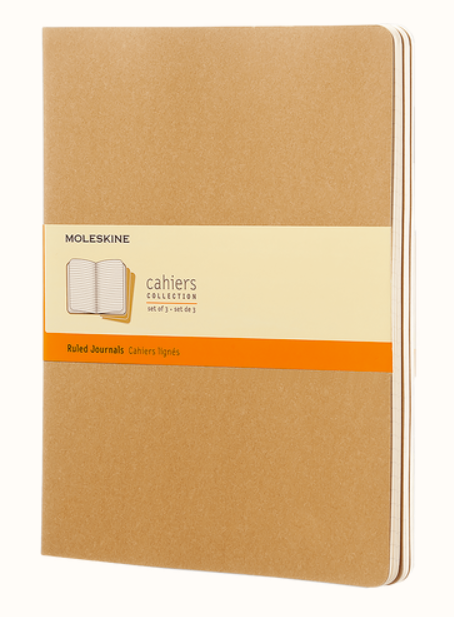
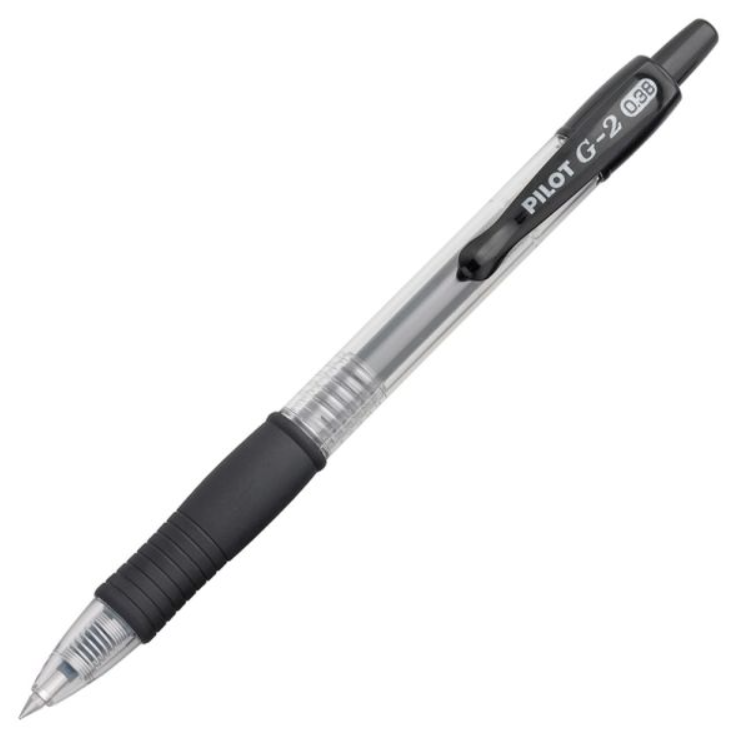
On every entry I write the name of each person in the meeting, the date, and the start time. I use hand written notes for in person meetings instead of a computer for the rationale Rob Fitzpatrick lays out in The Mom Test. But I don't think there's a wrong way to do it, whatever works for you.
I always put a star next to anything requiring action or follow up on my part, after the meeting finishes, I make sure to transfer all of those starred notes into the appropriate digital place as needed. Having the physical record tagged with name(s)/date/time in the top right corner makes it easy to refind for future reference.
Professional Routine and Direction Setting
Once tasks and communications are under control, the next challenge is alignment: Am I actually working on the right things?
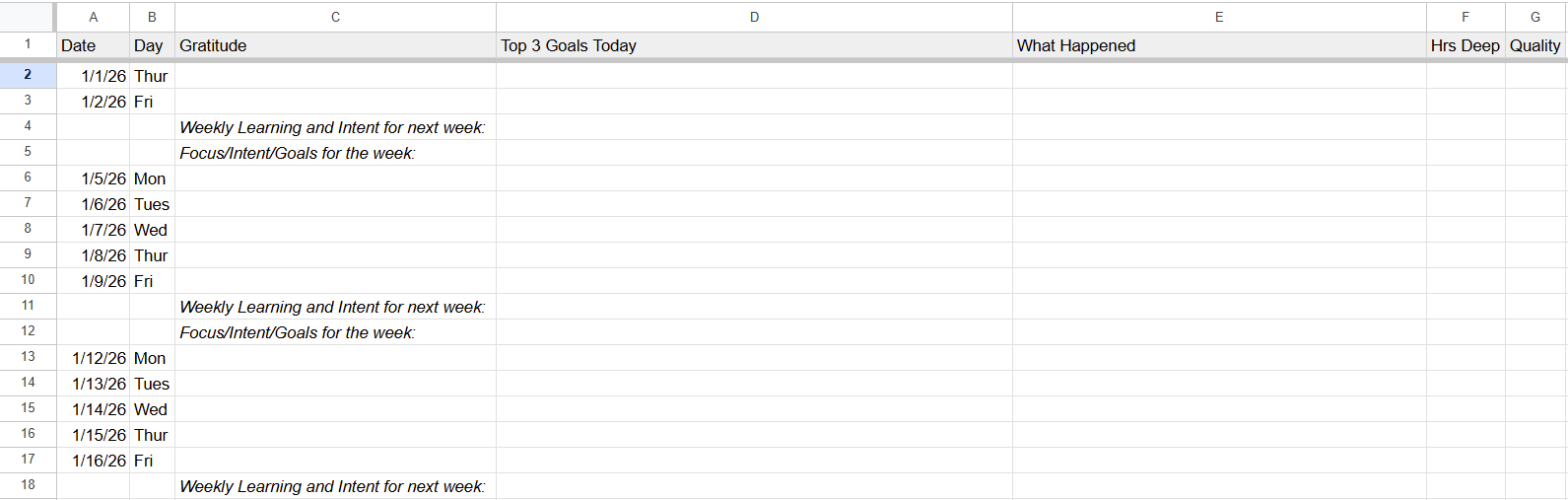
Daily Bookends (About 4 Minutes Total)
I use very simple daily open/close rituals inspired by Jim Collins:
- Morning (2 minutes):
- Write one thing I’m grateful for.
- Define the three Most Important Things (MITs) for the day.
- These aren’t every small task; they’re the three outcomes that, if done, would make the day a win.
- End of workday (2 minutes):
- Jot down a quick summary of what happened.
- Give the day a score from –2 to +2:
- –2: today was rough
- 0: neutral/average
- +2: exceptional
- Reschedule any incomplete tasks, close all tabs and programs, and shut down my computer.
I love having a formal end to my day that signals work is over.
Over time, these daily logs creates a soft data set on how I’m actually doing, to look for themes in my best and worst days.
Working with My daily Energy rhythms
I’ve noticed that my best mental energy—especially for complex engineering work or strategic thinking—is before 2 p.m., and ideally before 11 a.m.
So I design my day around that natural rhythm:
- Aim to complete my three MITs before 2 p.m.
- Reserve morning blocks for deep work: design, problem-solving, strategy, writing.
- Push admin and lower-cognitive-load tasks to the afternoon whenever possible.
This isn’t about grinding more hours; it’s about placing the hardest work where my brain is most capable. It also makes for a less anxious day, when the most important task(s) are still unfinished at dinner time.
Weekly Calibration
At the start of Monday before anything else I jot down my Focus/Intent/Goals for the week. Then at the end of work on Fridays, I write my Weekly Learnings and Intent for next week. I also read through and reconnect with my professional mission statement so my actions don’t drift away from the reason I’m doing any of this.
Personal Routines and Bio-Optimization
Marriage Systems
A first segue into this section is coordinating with my wife. We have a few organizational systems that do a lot for us:
- We have a separate shared Gmail account for subscriptions we share (eg. electric bill, Netflix, Amazon).
- We use Google Keep to have a shared running grocery list that we both add to as needed (eg. one of us uses the last of the yogurt, that person adds it to the list). Then whoever is in the store has everything we need on their phone.
- We created an additional calendar that we can both add to and edit for dates, travel, and other events we do together.
Household Inventory Management
Alongside our shared grocery list, we use an informal Kanban system adapted from Toyota Production Systems to mitigate the “Are we out of…?” problem. For any frequent use consumable we rely on—soap, toothpaste, deodorant, toilet paper—we try keep a small reserve supply, that triggers a reorder when accessed.
It’s a tiny intervention, but removing even a few recurring decisions adds unexpected ease to daily life—especially when paired with a shared grocery list and online ordering.
How Kanban Works in Manufacturing
The household system is a simplified version of a classic two-bin Kanban method used in manufacturing and hospital supply chains. In production environments, each part or material is split into two physical bins—a working bin and a reserve bin. Operators pull from the working bin until it is empty; that empty bin becomes the Kanban signal. At that moment, they switch to the reserve bin and trigger a replenishment order for the first one. The reserve bin holds enough inventory to cover operations during the vendor’s lead time, ensuring that production never stalls while the system replenishes itself.
What makes Kanban so useful is its visual simplicity. An empty bin replaces counting, spreadsheets, or complex software. Because the signal is physical and unambiguous, organizations reduce stockouts, overstocking, and coordination overhead. In many facilities—especially those managing thousands of SKUs—the shift to two-bin Kanban has collapsed assessment times from minutes (or hours) to seconds, freed staff from micromanaging inventory, and created highly predictable material flow. In short, the same principle that keeps households stocked also keeps production lines running with fewer interruptions and less cognitive load.
Health and Energy
Everything only works if the underlying hardware—my body and brain—is in decent shape. So I treat personal routines as part of the same system. Having time in the day is needed, but we also need energy and mental clarity with which to use the time with.
How much “time” you have is really about how much energy you have. - Tom Crichlow
For me exercise is the gateway to increased mental energy
I’ve learned the hard way that my entire system performs better when I’m exercising my body consistently.
- My goal is some form of physical exercise or care 7 days a week: strength training, cardio, walking, or even a recovery practice like an Epsom salt bath.
- Regular exercise has become a cornerstone of my mental clarity and emotional balance. When I maintain weekly strength training and cardio, I notice a significant reduction in the anxiety that tends to surface during periods of high workload and complex responsibilities.
- For me, movement is the first domino: when I work out, I naturally eat better, sleep better, and think more clearly.
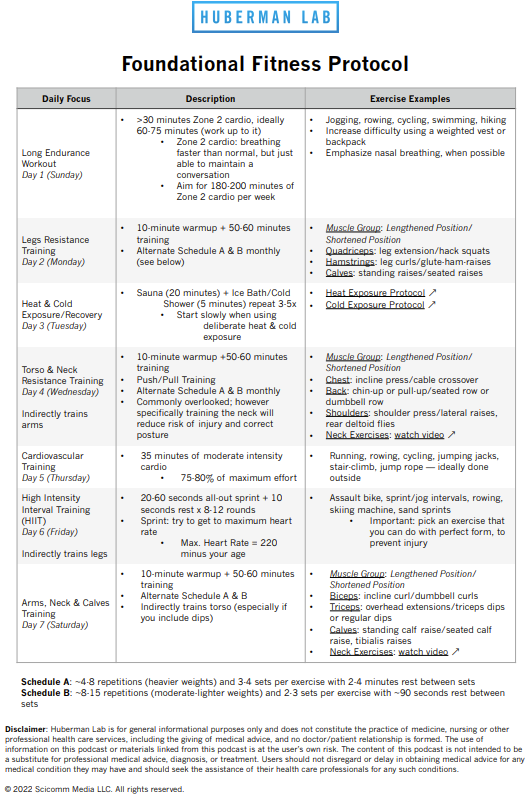
If you're looking for a 7 day routine, I really love the Huberman Lab Foundational Fitness Protocol as a starting point to design a weekly progression around. PDF Description link (pictured below). Podcast link.
Food as an Input to Cognitive Performance
I’m not prescribing anything here; this is just what I’ve observed for myself.
- Carb-heavy breakfasts or lunches make my brain feel foggier in the workday.
- Caffeine sources (especially coffee) gradually turn into more of an addiction + anxiety loop than a genuine performance enhancer.
So my current setup looks like this:
- Standardized breakfast (~500 calories) generally borrowed from Bryan Johnson's Blueprint Protocol and recommendations I got from InsideTracker blood tests:
- A big bowl of broccoli + cauliflower
- Two scrambled eggs
- Topped with hemp hearts, a bit of salt, and ~1 tbsp olive oil
- Plus a collagen + cacao drink and a hot beverage (herbal tea or decaf coffee)
- This gives me fiber, protein, and fats, and removes the daily decision of “What should I eat?” first thing.
- Light, protein-focused lunch: Often a protein shake (~50 g protein) with ground flaxseed, Ceylon cinnamon and blueberries. If I know I’ll have a late lunch I’ll have a lean protein snack like low sodium sliced chicken.
- Dinner as the “social meal”: I keep more flexibility here so I can enjoy dinner with my wife or friends. From a calorie perspective, I’ve found that cutting at lunch is easier for me than under-eating at night.
When I lost 15 pounds, almost all of the progress came from calorie consistency—not heroic workouts. Exercise is non-negotiable for my brain, however, the scale responds to what’s on my plate.
The broader point: pay attention to how food actually affects your mental energy and how your body feels, not just your hunger. It can be hard to notice in the moment, but has really impacted productivity for me.
Wardrobe: Socks...the big productivity unlock?
For over a decade, I’ve increasingly standardized my wardrobe:
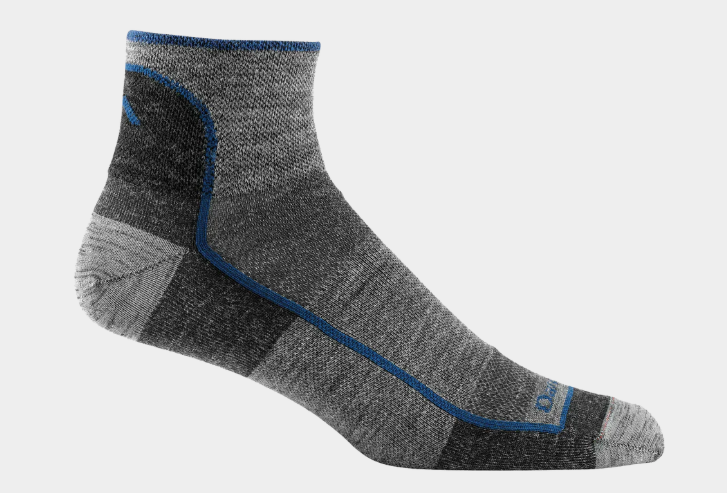
The most impactful wardrobe innovation I have here is a complete standardization of my socks to 1715 Quarter Lightweight Running Socks from DarnTough
- I stopped getting athlete's foot when I switched to these wool socks in 2010.
- I have worn them exclusively, year round in Minneapolis Winters and St. Louis Summers.
- They never get loose and soggy like cotton, and when a pair gets a hole, I send it in under warranty and get a new pair for free.
- I never match socks. Every sock works with every other sock.
I've standardized my boxer shorts as well to Exofficio, they are made of high performance fabric, are comfortable, long lasting and are simply the best.
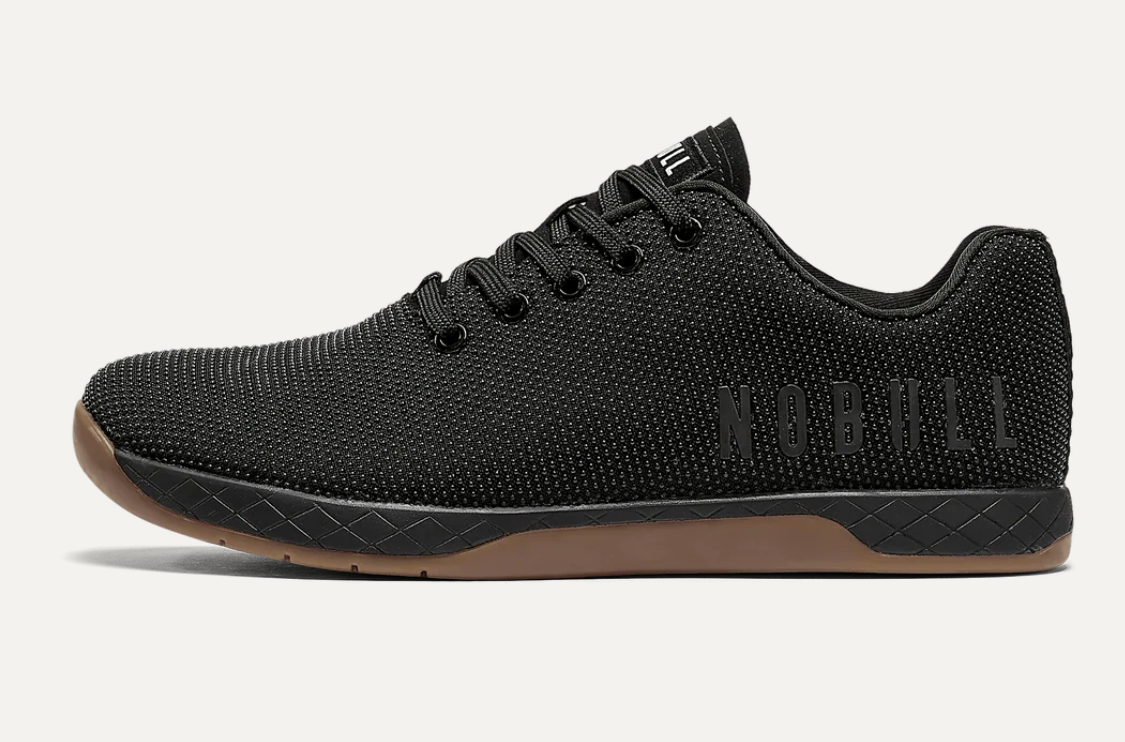
I'm on my 5th pair of the NOBULL Black Outwork Shoe. They have a subtle and unique style and I like a flat shoe for running and working out. I also find these shoes work equally well in casual and most professional settings. Plus they go well with jeans, and...I primarily wear dark blue jeans with a little stretch.
Shirts are where the majority of my expression comes in. I don't get a ton of fun out of dressing creatively like some people do, so all the base layers above are standardized and then adapt shirts to the occasion. With them I use a simple signal system to keep unused shirts out of my closet:
- Every shirt (including Tees) hang on the rack.
- Freshly washed shirts go on the right side.
- Over time, the left side reveals which shirts I’m not wearing.
- If I’m sure it’s not just a seasonal thing, I tag those. If I still haven’t worn them by a certain date, they move on to someone else.
On paper, this is trivial. In practice, it quietly removes dozens of small, pointless decisions:
- No “Which socks?”
- No mystery shirts that haven’t been worn in two years.
Those micro-frictions don’t seem like much, but they compound. I’d rather spend that decision-making energy on whether a design is manufacturable, or how to structure a new orthopedics project, not on laundry or dressing myself.
Closing Thoughts
You don’t need my Google Calendar conventions, breakfast, or sock brand to benefit from this.
What you do need is:
- A system you trust so your brain can relax
- Clear boundaries between calendar, tasks, and inbox
- Simple daily and weekly rituals that keep you aligned with your real goals
- Personal routines that keep your body and brain capable of doing good work
- And a willingness to standardize a few small things so you can focus on the big ones
Feel free to steal, adapt, and remix any part of this system. My hope is that it helps you build your own version of an unburdened mind, so you can spend more time doing the work only you can do. Would love to hear what you integrate into your routine, or if any of these work best for you.